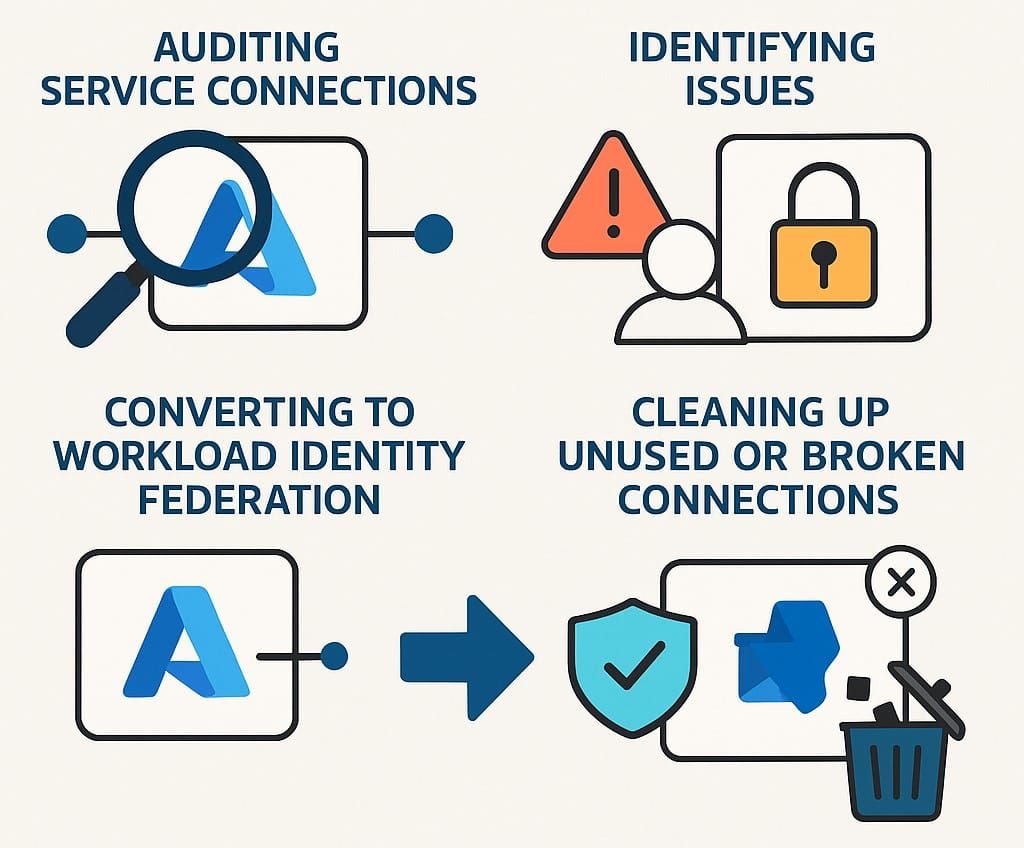
Managing Azure DevOps service connections at scale gets messy fast. Over time, organisations end up with a mixture of active connections, outdated configurations, orphaned service principals, and authentication methods that no longer reflect current security best practices.
I recently used PowerShell to investigate service connections across an Azure DevOps organisation, identify problems, and recommend actions, including conversion from legacy Service Principal authentication to Workload Identity Federation (WIF).
TL;DR
The approach in this post covers four practical outcomes:
- Audit Azure DevOps service connections across projects
- Find issues such as missing subscriptions, orphaned service principals, or missing secrets
- Recommend actions such as delete, investigate, or convert
- Convert eligible connections to Workload Identity Federation to reduce secret management overhead
Why Investigate Service Connections?
Service connections are critical for pipelines, but they often accumulate quietly in the background. Some are still valid, some are stale, and some are effectively broken.
If you want a cleaner and more secure Azure DevOps estate, you need visibility first.
Moving to WIF helps because it removes dependency on stored secrets and aligns pipeline authentication with a more modern and maintainable approach.
The Investigation Script
The first step was to build a script that could inspect service connections across every project and enrich the raw Azure DevOps data with context from Azure and Microsoft Graph.
That script automated the following:
- Enumerating all projects in the organisation
- Listing AzureRM service connections in each project
- Cross-referencing subscription and service principal details
- Detecting missing or orphaned resources
- Recommending what to do next
Here is a representative excerpt from the investigation workflow:
foreach ($serviceEndpoint in $serviceEndpoints) {
    $resultObject = [PSCustomObject]@{
        ProjectName         = $project.name
        ServiceEndpointName = $serviceEndpoint.name
        AuthScheme          = $serviceEndpoint.authorization.scheme
    }

    if ($serviceEndpoint.data.subscriptionid) {
        # ...lookup subscription...
    } elseif ($serviceEndpoint.data.managementGroupName) {
        # ...lookup management group...
    } else {
        # ...not found...
    }

    if ($serviceEndpoint.authorization.scheme -eq "ServicePrincipal") {
        # ...lookup SPN and secrets...
    }

    if ($resultObject.AuthScheme -eq "ServicePrincipal" -and $serviceEndpoint.name -notlike "*avs*") {
        $advice = "Convert to WIF"
        $action = "Convert to WIF"
    } else {
        $advice = "No action required"
        $action = "No action required"
    }

    $resultObject | Add-Member -NotePropertyName Advice -NotePropertyValue $advice
    $resultObject | Add-Member -NotePropertyName Action -NotePropertyValue $action

    $results += $resultObject
}
The script produced an output file with the status of every connection and a clear recommendation for what should happen next.
Typical findings included:
- Orphaned connections with no valid subscription or service principal
- Connections missing secrets and likely already broken
- Legacy Service Principal connections that were strong candidates for WIF conversion
- Unused connections that could be deleted safely
The full investigation script is available here:
Cleaning Up Service Connections with PowerShell
Once the investigation had identified what needed attention, the next step was to automate the clean-up and conversion process.
The clean-up script was designed to be interactive so that conversions and deletions could still be reviewed carefully before anything changed.
It supported scenarios like:
- Selecting specific projects or processing all of them
- Reviewing service connections one by one
- Deleting orphaned endpoints
- Creating federated credentials for eligible service principals
- Converting AzureRM service connections to Workload Identity Federation
An excerpt from that flow looked like this:
$OrganizationUrl = "https://dev.azure.com/YOUR_ORG"

while ($true) {
    $selectedProjectName = Read-Host "Enter the name of the project you want to select (or type 'skip' to not pick a specific project, or 'exit' to quit)"

    foreach ($project in $projectsToProcess) {
        while ($true) {
            $selectedServiceEndpointName = Read-Host "Enter the name of the service endpoint you want to select (or type 'skip' to process all endpoints, or 'exit' to quit this project)"

            foreach ($serviceEndpoint in $serviceEndpoints) {
                $json = '{"name": "ADO-' + ($project.name -replace " ", "") + '", "issuer": "https://vstoken.dev.azure.com/YOUR_ORG_ID", "subject": "sc://YOUR_ORG/' + $project.name + '/' + $serviceEndpoint.name + '", "audiences": ["api://AzureADTokenExchange"]}'
                az ad app federated-credential create --id $serviceEndpoint.authorization.parameters.serviceprincipalid --parameters $json

                $convertBody = @{
                    id = $serviceEndpoint.id
                    type = "AzureRM"
                    authorization = @{ scheme = "WorkloadIdentityFederation" }
                } | ConvertTo-Json -Depth 100 -Compress

                $putApiUrl = "${OrganizationUrl}/_apis/serviceendpoint/endpoints/$($serviceEndpoint.id)?operation=ConvertAuthenticationScheme&api-version=${apiVersion}"
                Invoke-RestMethod -Uri $putApiUrl -Method Put -Body $convertBody -Headers $header
            }
        }
    }
}
The full clean-up script is here:
Benefits
This approach reduced manual effort significantly and made it much easier to modernise service connection authentication safely.
The biggest advantages were:
- Less manual auditing across projects
- Better visibility into broken or stale connections
- A clearer path to WIF adoption
- Reduced reliance on secrets in pipelines
Conclusion
Auditing and converting Azure DevOps service connections does not need to be a slow, manual process.
With a focused PowerShell workflow, it is possible to investigate the current state, identify weak spots, and migrate eligible connections to Workload Identity Federation in a controlled way.
The result is a cleaner, more secure, and more maintainable Azure DevOps environment.